

myStock + myStock 4 Accounting: Seamless Sync with Xero
Connect myStock and myStock 4 Accounting directly to Xero and take control of your inventory, purchasing, and financial data — all in real time. With the myStock 4 Accounting + Xero integration, your sales, supplier invoices, and stock adjustments flow effortlessly into your accounting system — no double entries, no manual uploads, and no errors.

Why Integrate myStock & myStock 4 Accounting with Xero?
The benefits of connecting myStock & myStock 4 Accounting with Xero include:
Real-Time Financial Accuracy
Every transaction — from purchase orders and stock movements to completed sales — automatically updates in Xero, ensuring your financial data is always current and correct.
Complete Visibility Across Locations
Track stock levels, costs, and variances across multiple branches, stores, or warehouses. myStock gives you the control and transparency you need to make confident purchasing and pricing decisions.
Faster Month-End Close
Reconcile faster with built-in variance reports, closing balances, and Xero-ready summaries that ensure your books are accurate and audit-friendly.
Better Business Insights
Access interactive dashboards and reports that connect stock, sales, and financial performance — giving you a 360° view of your business health.
What myStock and myStock 4 Accounting Do
Smart Stock Management
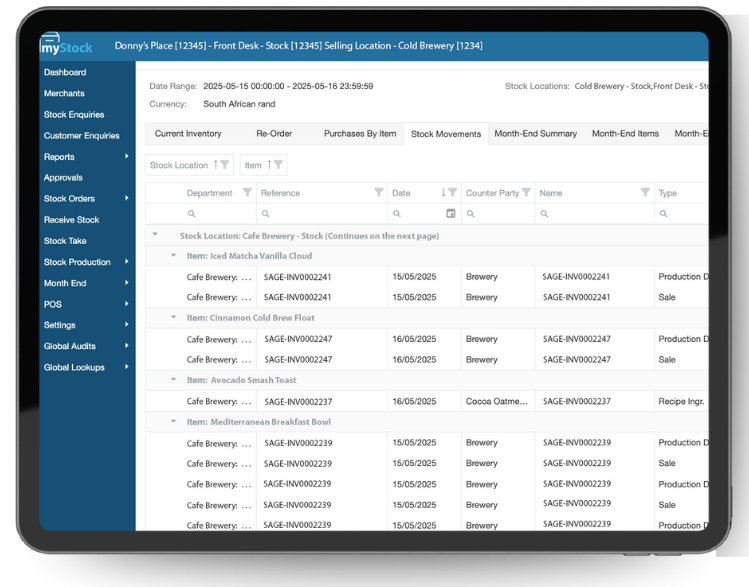
Gain full control and visibility over your inventory. Track stock across multiple locations, manage transfers, set reorder levels, and reduce waste — all from one centralised platform. myStock helps you maintain accuracy, streamline procurement, and keep your business running efficiently.
Seamless Accounting Integration
myStock 4 Accounting connects your inventory to leading accounting systems like Xero, Sage, and Sage Intacct. Sync stock movements, sales, and supplier invoices in real time — eliminating manual entries and ensuring your financials are always up to date.
Fast & Accurate Point of Sale
A fast, efficient, and affordable Point of Sale increases business revenue, lowers costs, and provides customers with a satisfying experience. Together with myStock and myStock 4 Accounting, TallOrder POS creates a fully connected ecosystem — where every sale instantly updates your stock and accounting data for total business alignment.
About Xero
Xero is world-leading online accounting software built for small business.
Get a real-time view of your cashflow
Log in anytime, anywhere on your Mac, PC, tablet or phone and see up-to-date financials.
Get paid faster with online invoicing
Send online invoices to your customers – and get updated when they’re opened.
Run your business on the go
Use our mobile app to reconcile, send invoices, or create expense claims – from anywhere.
Reconcile in seconds
Xero imports and categorises your latest bank transactions. Just click ok to reconcile.
- On the POS sign in screen, enter the relevant credentials (this includes your email address and password).
- Under Advanced, please select the ‘Override as Master POS’.
- Next, click ‘Sign in’ to proceed.
- Once you have signed in, you will arrive at the ‘Select a Store’ screen.
- Select your store and wait for the staff sign in screen to appear. Enter your unique 4 digit code (this would’ve been provided to you during TallOrder admin setup).
- You will now arrive at the POS home screen which means you are ready to start a shift.
- Watch our YouTube Tutorial: https://youtu.be/DPmn5qsNqxI